
Update your CV without rebuilding it
Import a PDF, Word file or pasted text into an editable CV. Change the wording, reorder sections and adjust the design in the same editor.
Explore the CV editorAI CV BUILDER & JOB TRACKER
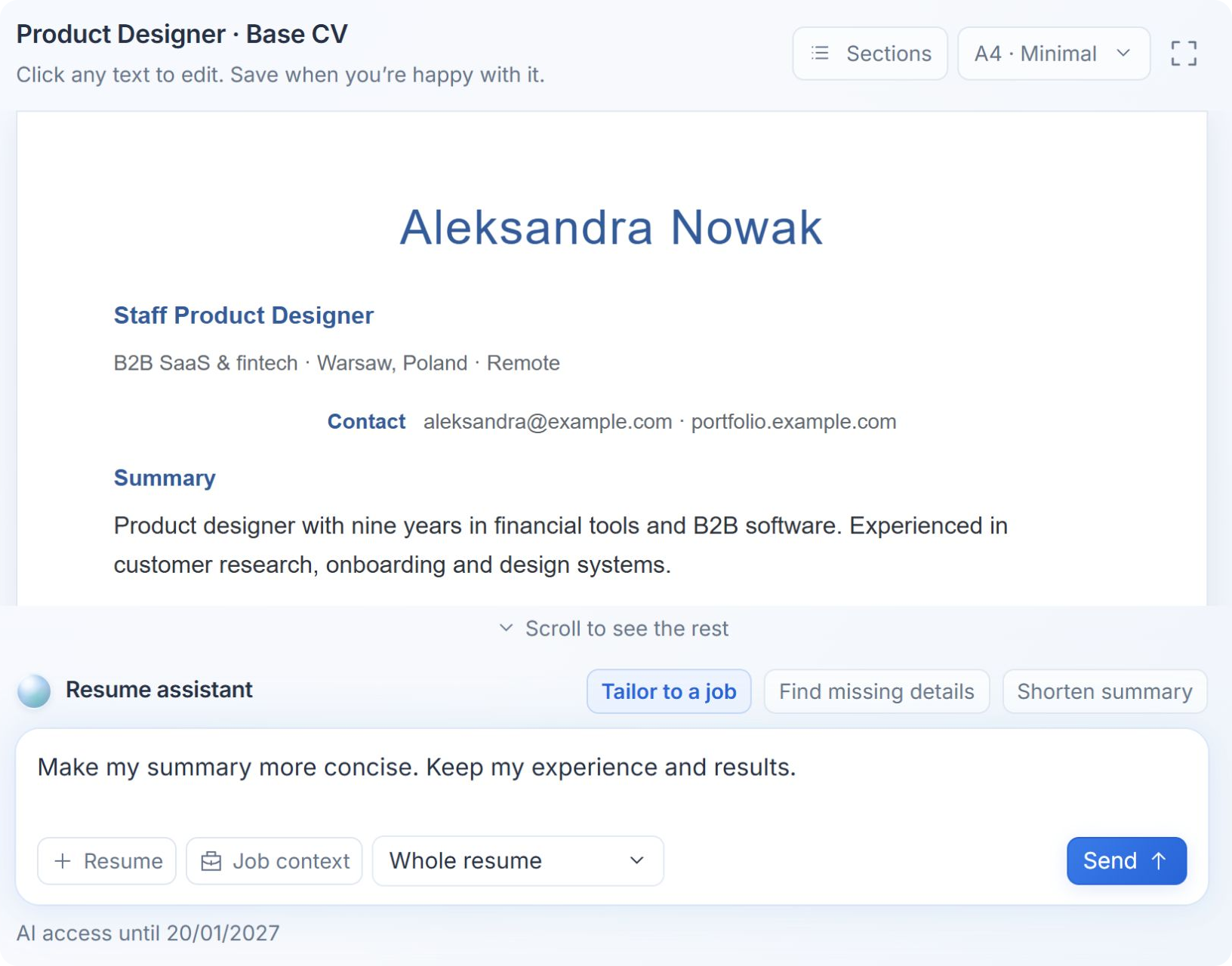
Import your CV and add a job description. Review AI suggestions that highlight your relevant experience, then save a separate version for each application.
No credit card · Free editing · 3 AI operations a week
PDF & Word exports from $29 USD, paid once.
HOW IT WORKS
Import a PDF or Word file, paste your career notes or start with a blank CV.
Paste a public job link or description. AI compares its requirements with your experience.
Review the proposed wording and save a separate CV. Export with a paid package.
AI RESUME TAILORING
A job description tells you what the employer needs. MorphicID helps you connect those requirements to what you have done, then suggests clearer wording for your summary and experience. Compare the changes before saving.
WRITE, EDIT, EXPORT
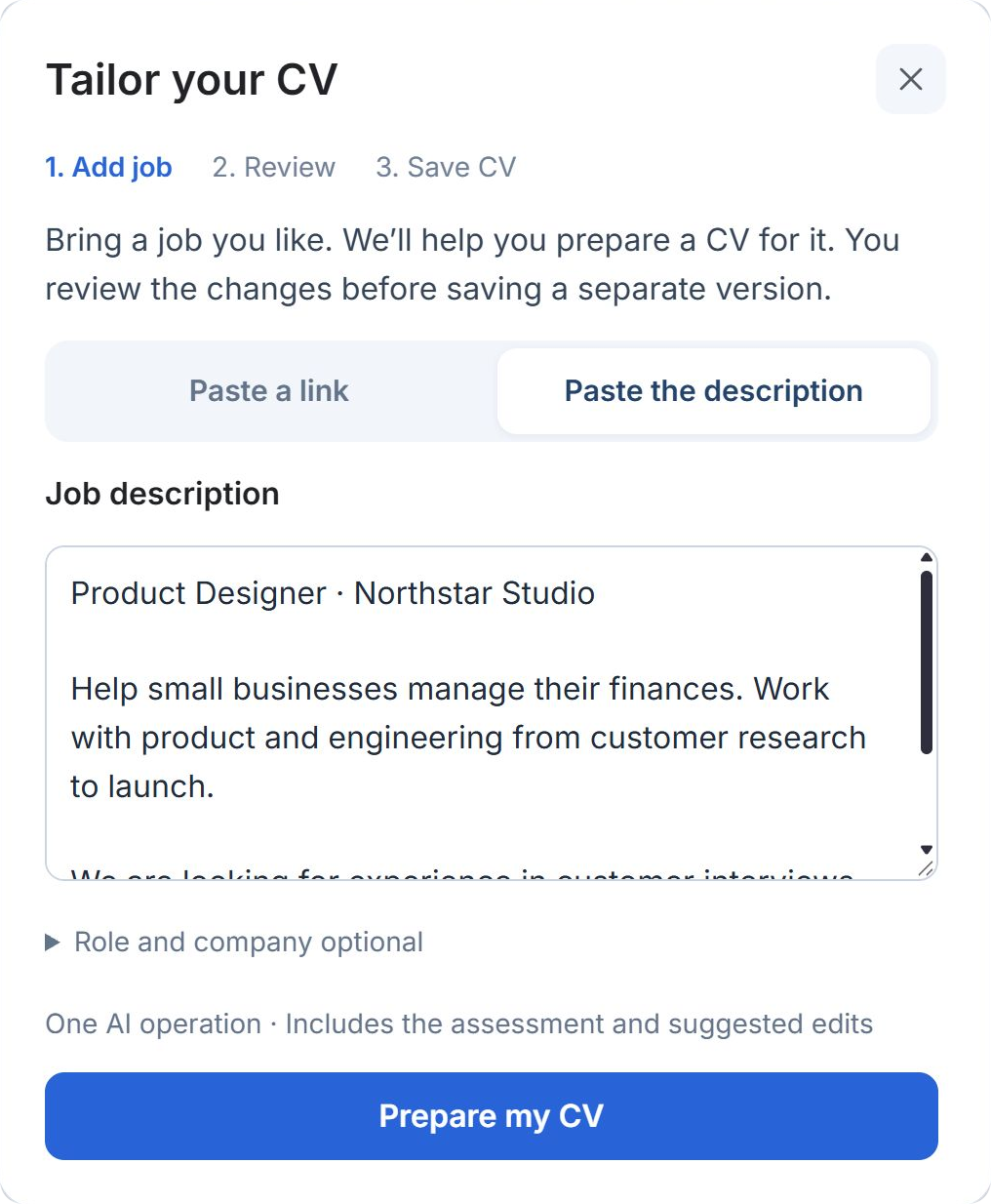
Work on the document itself, with an AI assistant beside it whenever you need help.
Import a PDF, Word file or pasted text into an editable CV. Change the wording, reorder sections and adjust the design in the same editor.
Explore the CV editorAsk AI to improve a section, or use Experience Coach to work through a role. Answer focused questions, then review a draft based on the details you provide.
Choose a resume template and export as PDF, Word or Markdown with a paid package. You can also publish a shareable CV snapshot and turn its link off later.
SAVED JOBS & APPLICATION TRACKING
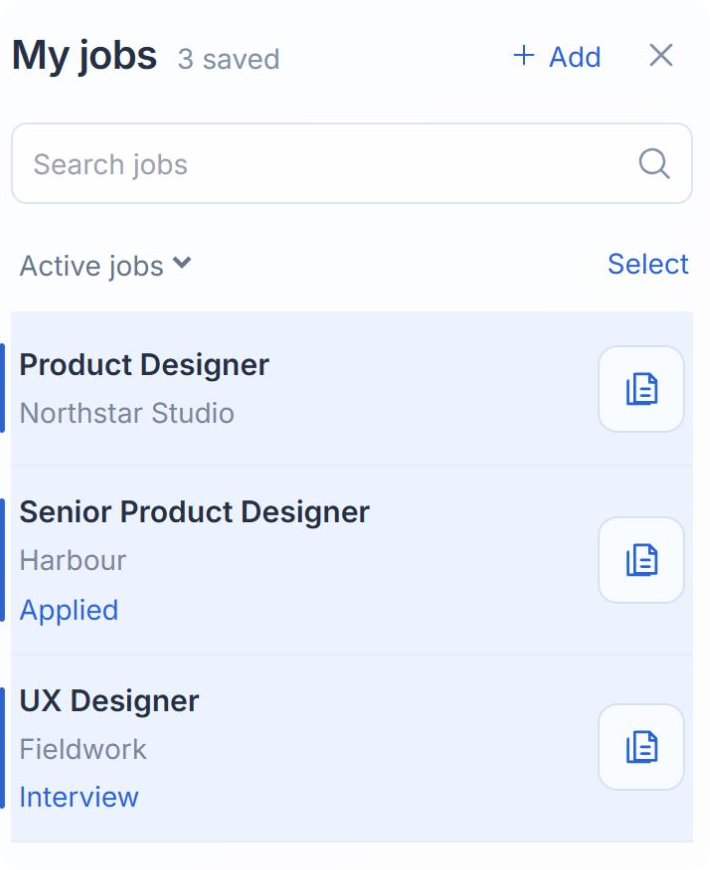
Save the posting, add notes and update the application stage in My jobs. Open the CV associated with that opportunity from the same list, without searching through a folder of nearly identical files.
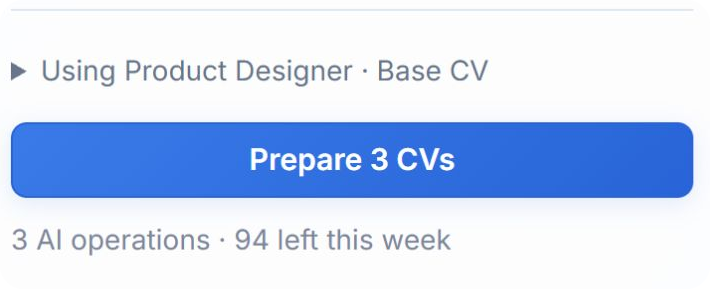
Have a shortlist? Select up to ten saved jobs and prepare a separate CV draft for each from one base document. Come back to review them individually.
Open my job trackerOne AI operation per successful draft. You review and send each application yourself.
YOU STAY IN CONTROL
Read the original and suggested text together. Edit the draft and check every claim against your experience.
Save tailored versions separately, so changes for one application do not overwrite your original.
CVs and job notes are private. If you publish a CV snapshot, only that document is shared; your job notes and assessments stay private.
ONE-TIME PRICING
Try the editor with 3 free AI operations a week. Every paid package includes PDF, Word and Markdown exports, unlocked templates and three calendar months of AI help. No subscription or automatic renewal.
For your resume and a professional bio.
$29 USD · one-time
For an active job search and supporting materials.
$69 USD · one-time
For a career change or a senior role.
$149 USD · one-time
An AI operation is one import, edit, tailoring result or included Coach session. Your weekly allowance is shared across CVs. After paid AI access ends, keep editing manually and using your saved CVs, unlocked templates and included exports.
Starter includes a professional bio. Professional adds LinkedIn guidance, cover letters and a portfolio summary; Executive adds a positioning report. These are created through the separate Career Identity flow in your account. The CV editor and saved jobs do not require that flow.
CV GUIDES & A FREE CHECK
Import, organize and improve your existing resume.
↗ JOB TAILORINGA practical guide to preparing a job-specific CV.
↗ FREE ATS BASICS CHECKCheck extracted text and common CV essentials, free and without an account.
↗FROM THE BLOG
Use your LinkedIn profile as a starting point for a resume. Export a profile PDF or paste the text, then choose and edit the evidence for one job.
Read the guideResume writing
Choose resume keywords with a job-to-evidence worksheet and original examples. Show relevant skills naturally without keyword stuffing or unsupported claims.
Read the guideJob search
Organize saved jobs, application stages and resume versions with a simple tracker template. See how to keep each posting beside its CV in MorphicID.
Read the guideFREQUENTLY ASKED QUESTIONS
Create a CV, edit it manually and save jobs. You also get 3 AI operations per week to try importing, editing or tailoring. No credit card is needed. PDF, Word and Markdown exports and shareable CVs require a one-time paid package, starting at $29 USD.
Yes. Upload a PDF, DOC or DOCX file up to 10 MB, or paste your text. AI import turns the content into an editable CV and uses one operation. The original layout may change. For a scanned PDF, paste the text instead. Check the imported details before continuing.
Add a public job link or paste the description. MorphicID compares the requirements with your CV and proposes changes to your summary and experience. You can inspect supporting CV passages and details that need clarification. Review the proposal, save a separate CV and continue editing it in the editor. Your base document stays unchanged. Check AI wording against your actual experience before sending.
Yes. Save jobs in My jobs, select up to ten and choose a saved base CV. Each successful draft uses one AI operation, so ten drafts need ten available operations. Preparation continues if you close the tab. If a job website cannot be read, paste its description. Review each draft and submit the application yourself.
An import, AI edit or job-tailoring result uses one operation. An Experience Coach conversation of up to five questions and its first draft counts as one; extra drafts use another. Failed AI responses are refunded. The allowance is shared across your CVs and resets Monday at 00:00 UTC.
No. Tailoring helps you explain relevant experience; it cannot predict an employer’s screening or hiring decision. The separate free ATS basics check looks at readable text and common CV essentials, rather than assigning a job-match score. MorphicID does not submit applications for you.
Your saved CVs and application drafts are private. A paid package lets you explicitly publish a snapshot. Anyone holding that link can see the published CV, including its contact details. Private edits do not change it until you republish. Turning sharing off cannot remove copies someone already downloaded.
AI access ends with no automatic renewal. Your saved CVs, manual editing, unlocked templates and included exports remain available. Purchase another package only when you want more AI help.
START WITH THE CV YOU HAVE
Import your experience. Add the posting. Review your next application CV.
Build my CV — free No card to start. Exports from $29 USD, paid once.